Homelab33
Old computers turned into Linux servers and then into a Kubernetes homelab. It hosts my own applications and the portfolio site you're looking at.
Read the repositoryTwo old computers with a new purpose
I had an old desktop PC and a laptop collecting dust. I wanted to put them to work hosting the applications I was building, including this portfolio.
That meant taking responsibility for more than writing the software. I needed a way to keep the machines running, publish updates, protect private information, and see when something went wrong. Homelab33 became the place where I brought those pieces together.
| Desktop | Laptop | |
|---|---|---|
| Model | Dell OptiPlex 9010 | Dell Latitude 7290 |
| Role | k3s server (control plane) | k3s agent (worker) |
| CPU | 4 threads | 4 threads |
| Memory | 8 GB | 8 GB |
| Disk | 250 GB | 250 GB |
| OS | Ubuntu 22.04 LTS | Ubuntu 22.04 LTS |
| k3s | v1.36.4 | v1.36.4 |
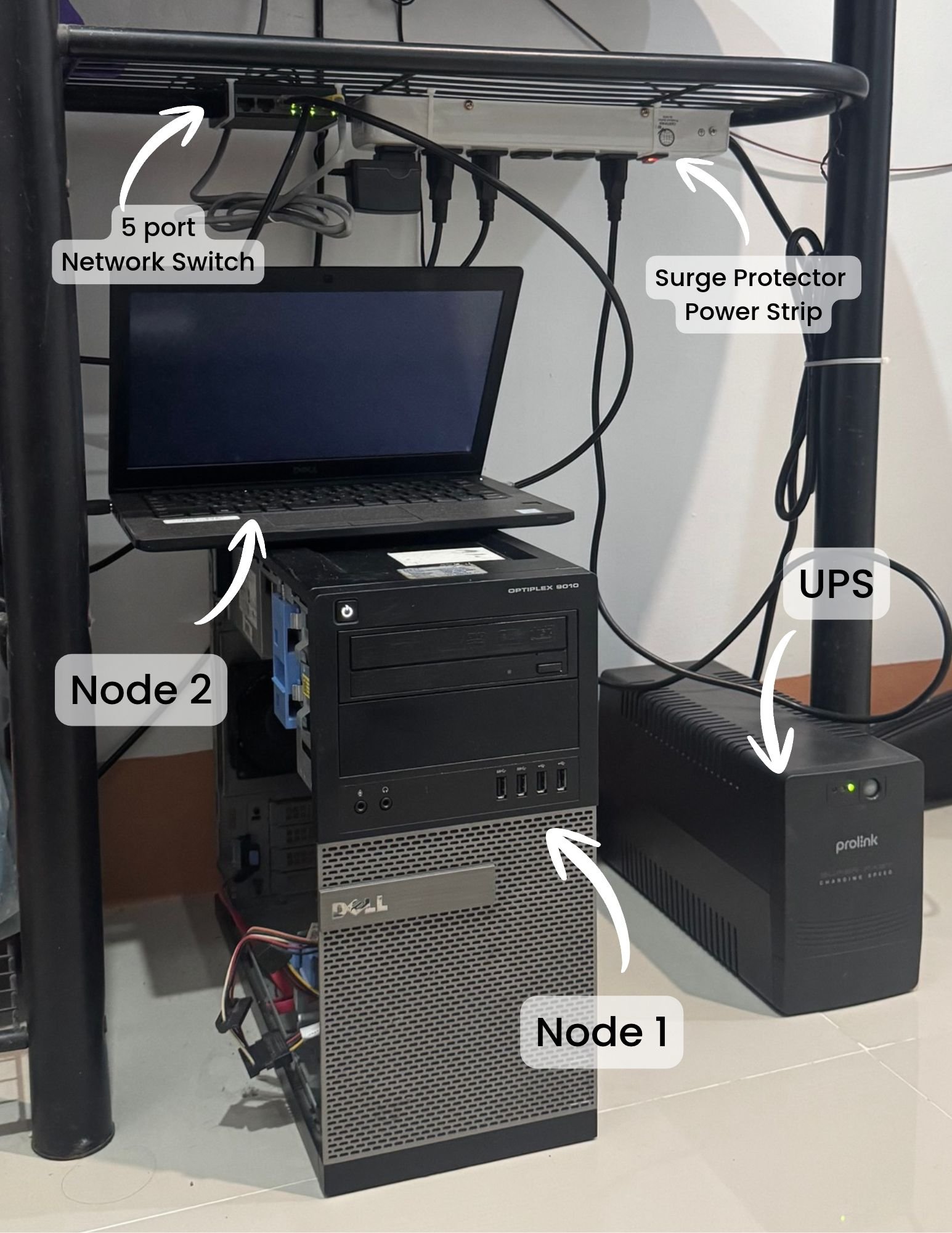
The machines sit together at home, connected through a small network switch, with a battery backup beside them.
Getting the basics right
I cleared both machines and installed Linux. Before putting any applications on them, I restricted remote access to my own login key and configured the firewall to allow only the connections they needed.
I then used Kubernetes, through its lightweight k3s distribution, to manage the applications across both computers. The desktop coordinates the system, while the laptop runs application builds and apps such as this site.
One early problem had a surprisingly ordinary cause. The laptop kept disappearing from the system whenever I closed its lid because it was going to sleep. I changed that setting, and it stayed available with the lid closed.
Those first steps gave me two machines ready to host applications. I documented the server security setup and installation process as I worked through them.
Making updates repeatable
At first, I applied every change by hand. I used AI to help draft the configuration, reviewed what it produced, and installed each change myself. That worked, but releasing updates involved too much repetitive work.
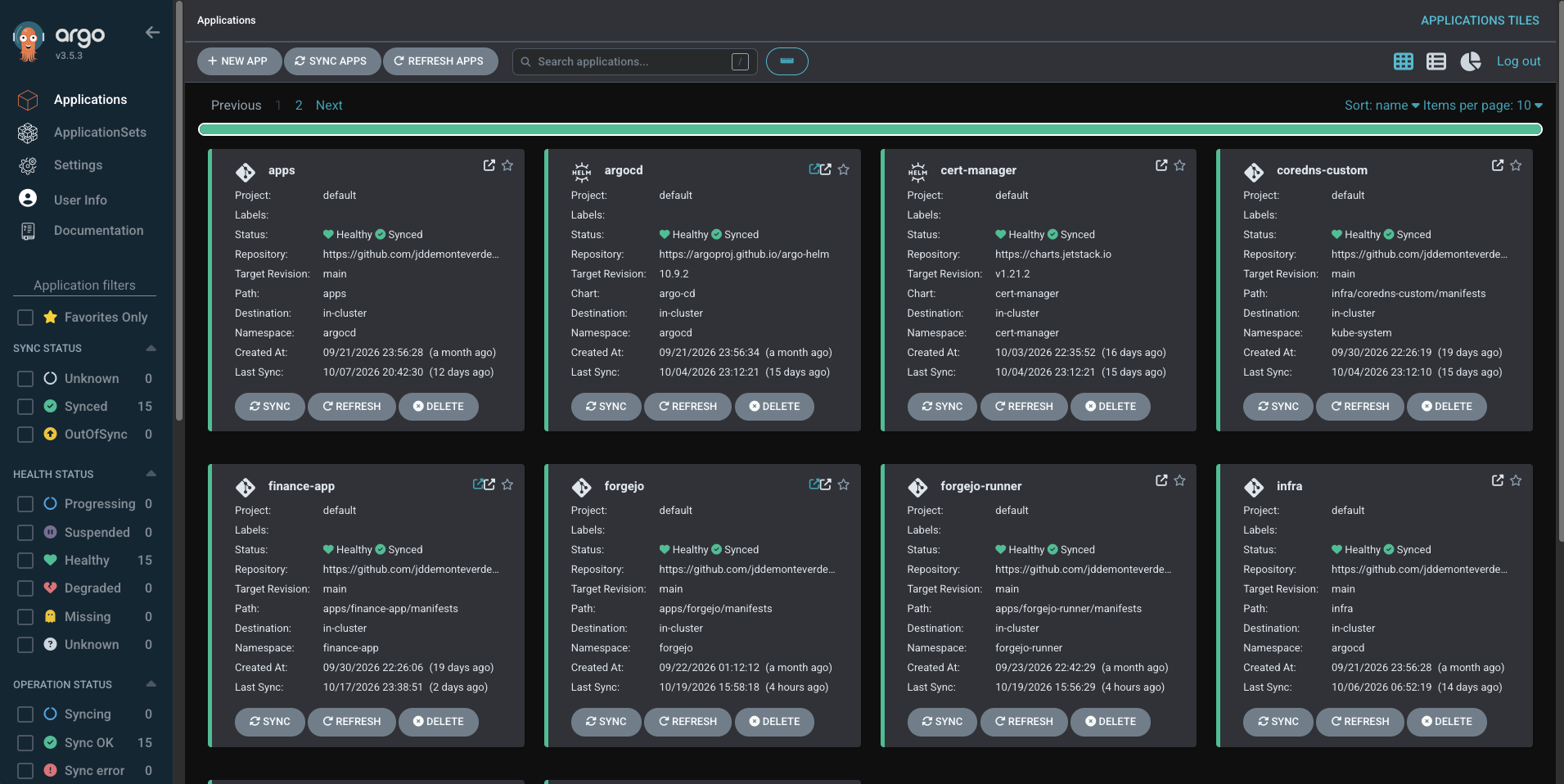
I moved the configuration into version control, where each change has a recorded history, and connected it to Argo CD. This tool applies the saved configuration to the running system. I still review the changes; the system handles applying them.

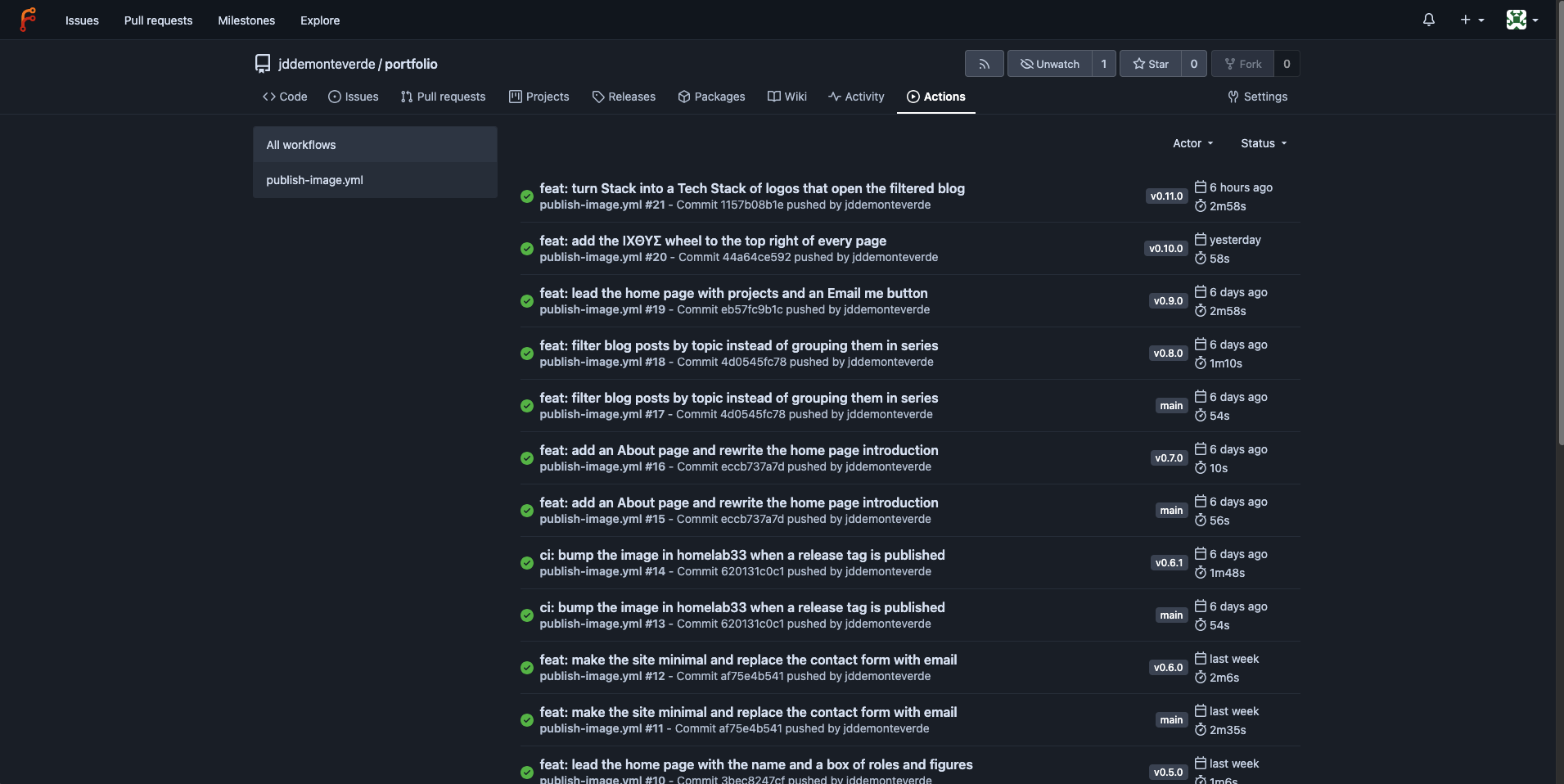
For this portfolio, publishing a release now starts with marking a new version in the code repository. My build service packages the application, saves it, and updates the configuration. Argo CD then puts that version into service.
The build history records each run and its result.
Argo CD gives me a separate view of whether the applications are healthy and running the versions I selected.
An update that once required several manual steps now follows the same automated path each time.
Sharing the site while keeping my tools private
This portfolio needs to be public. My development tools and personal applications need to stay private. I set up access around that distinction.
Visitors reach this site through Cloudflare. I reach the private applications through Tailscale, which connects my own devices even when I'm away from home. The private apps are not exposed to the public internet.
Passwords and other credentials are encrypted before they enter the configuration repository. I also keep the services with broad access to credentials on the desktop, separate from the application builds running on the laptop. That separation limits what the build environment can access.
A system I use today
Homelab33 now hosts my code, builds my applications, runs my personal finance app, and serves this portfolio. The overview below shows the running applications and the resources they use.
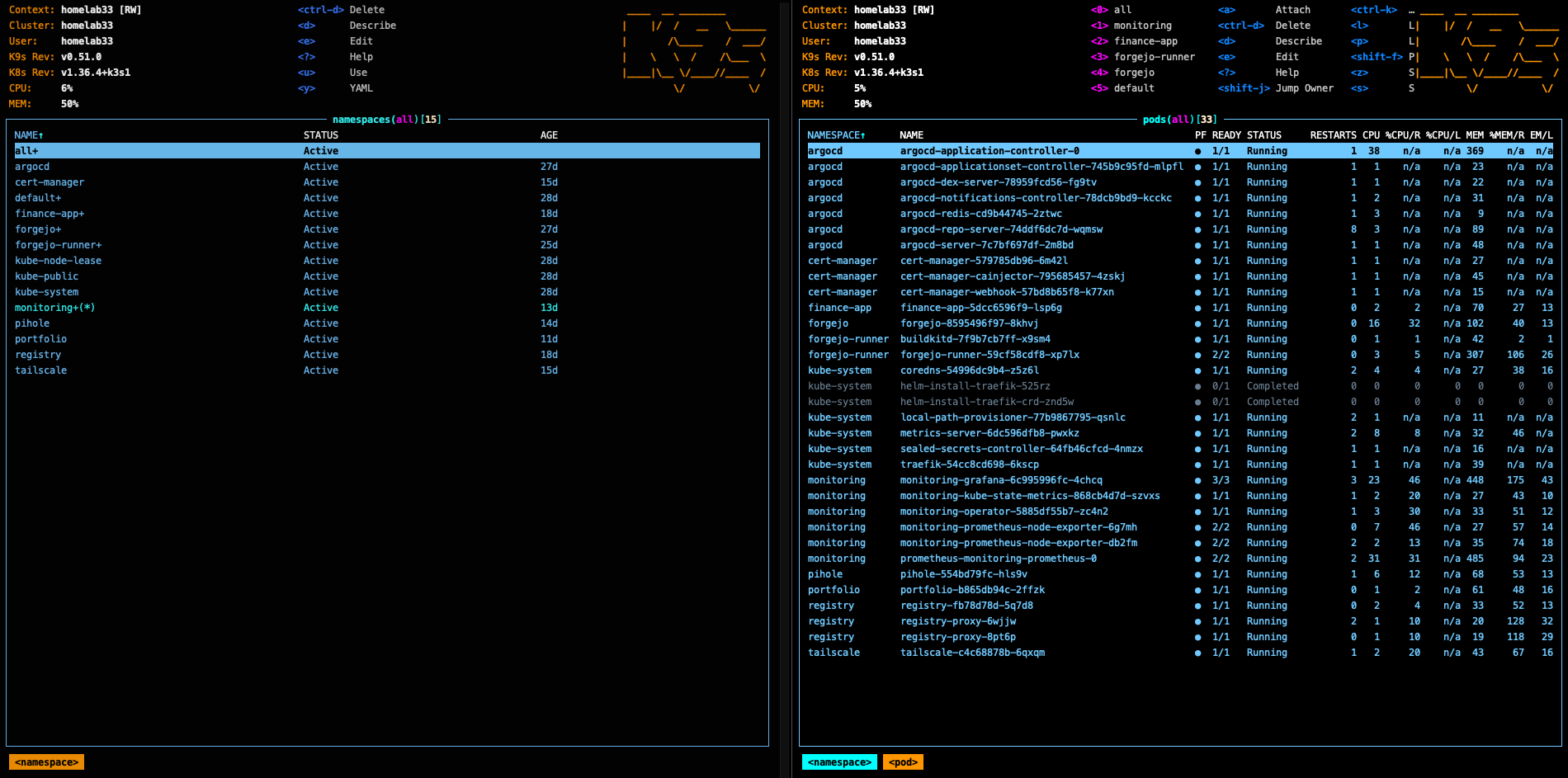
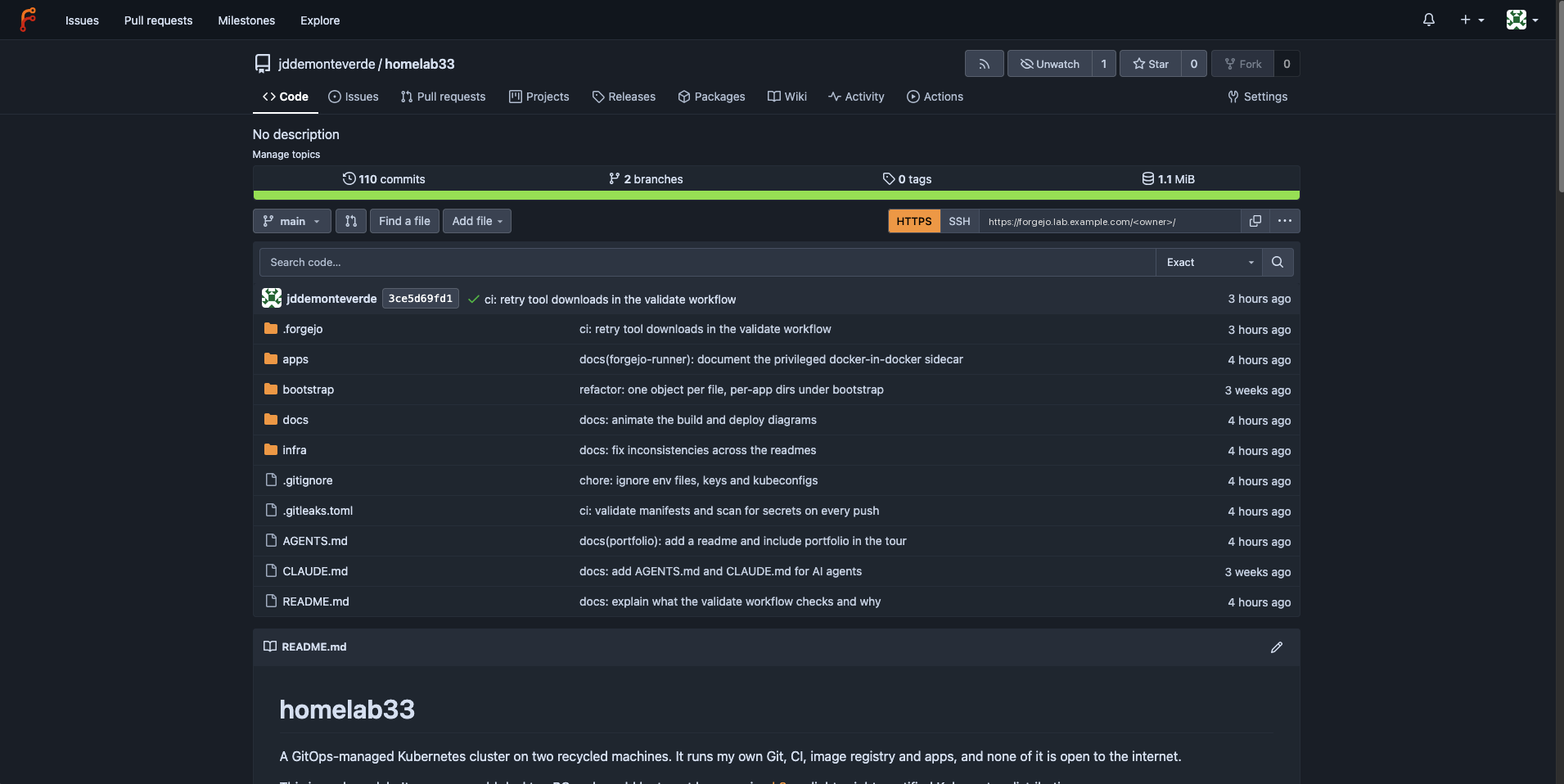
Forgejo gives me a private home for my code. A copy of the Homelab33 repository is also available on GitHub.
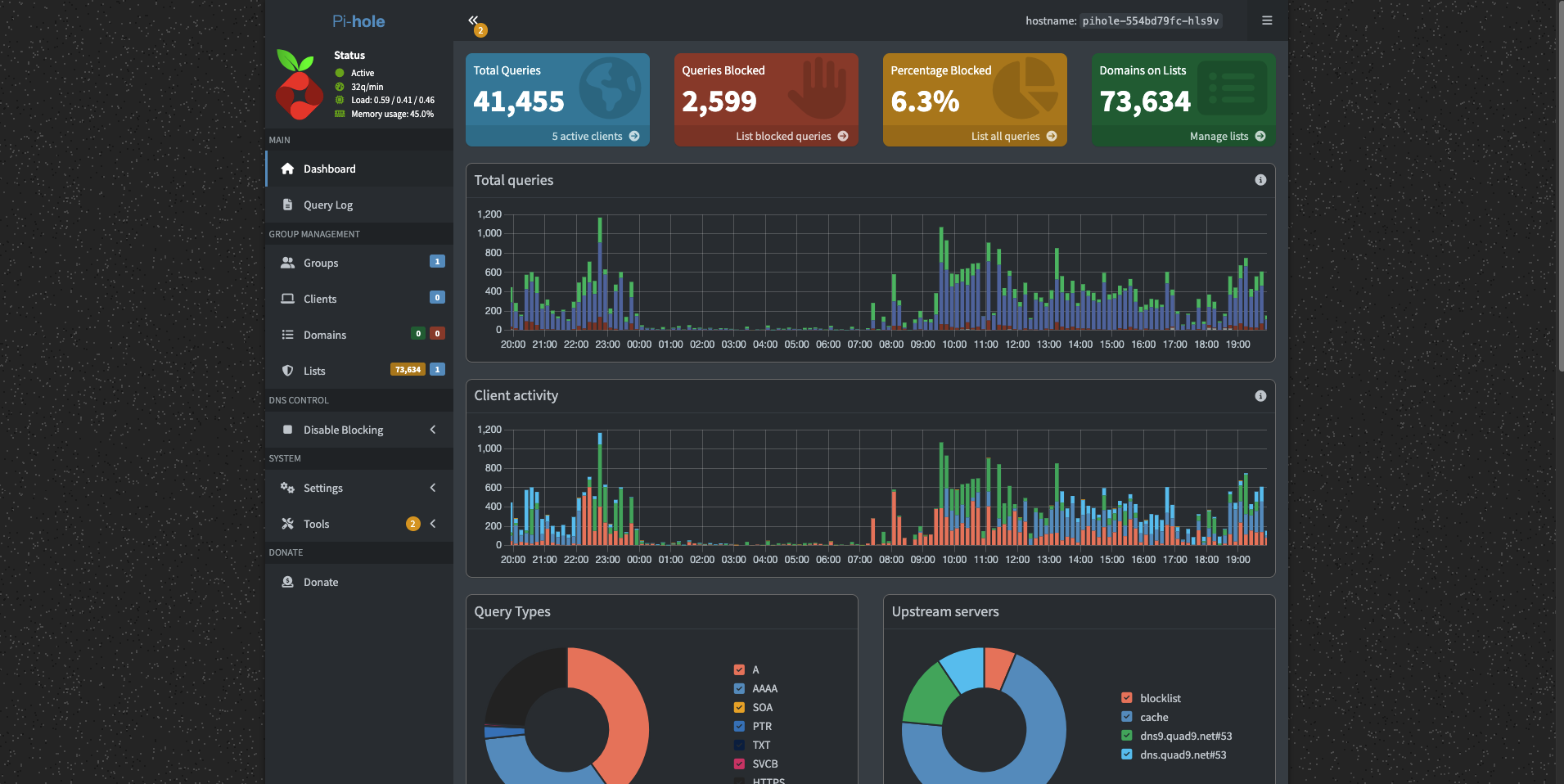
Pi-hole blocks ads and trackers across my home network, including on devices where I can't install a browser extension.
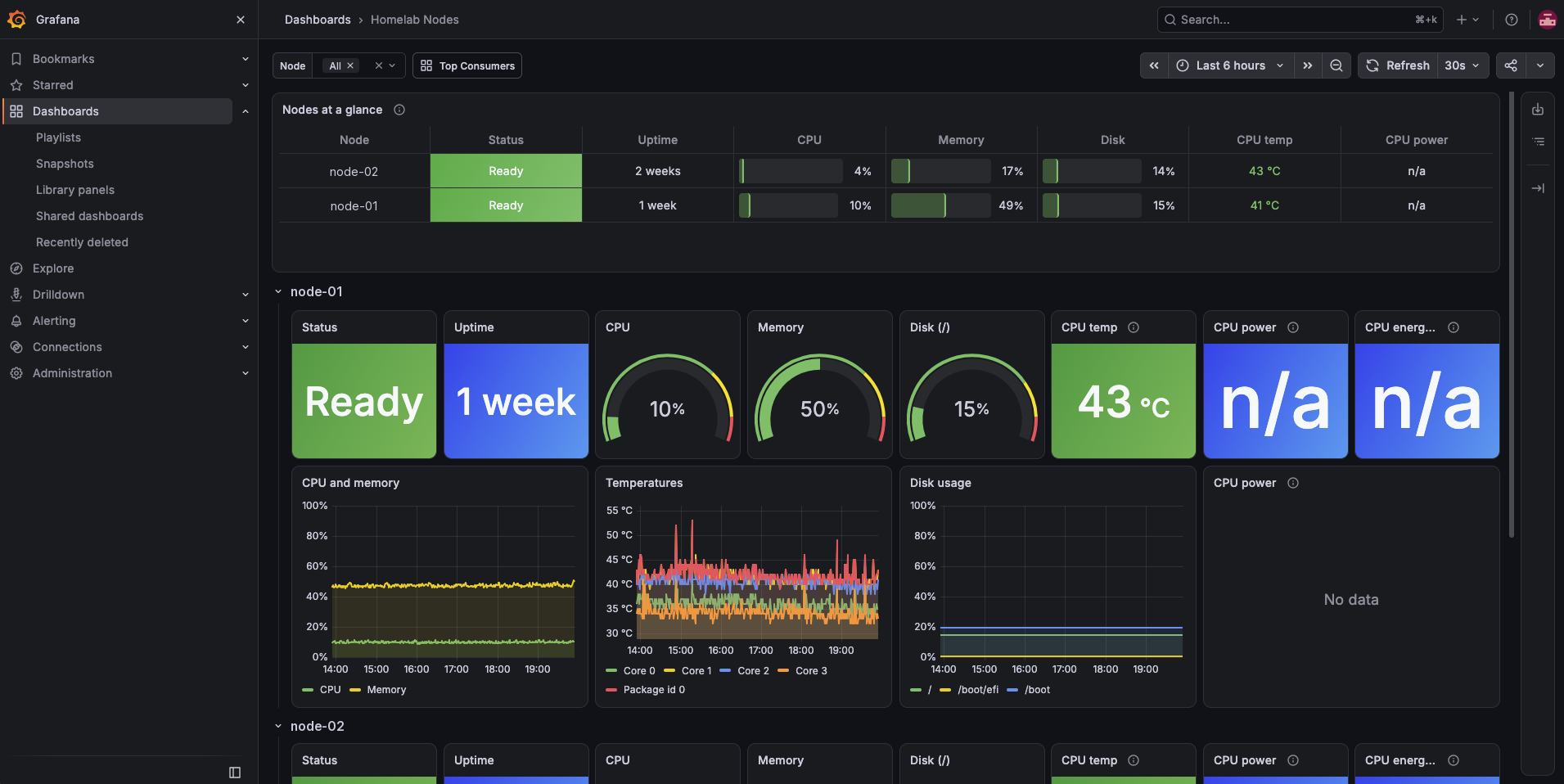
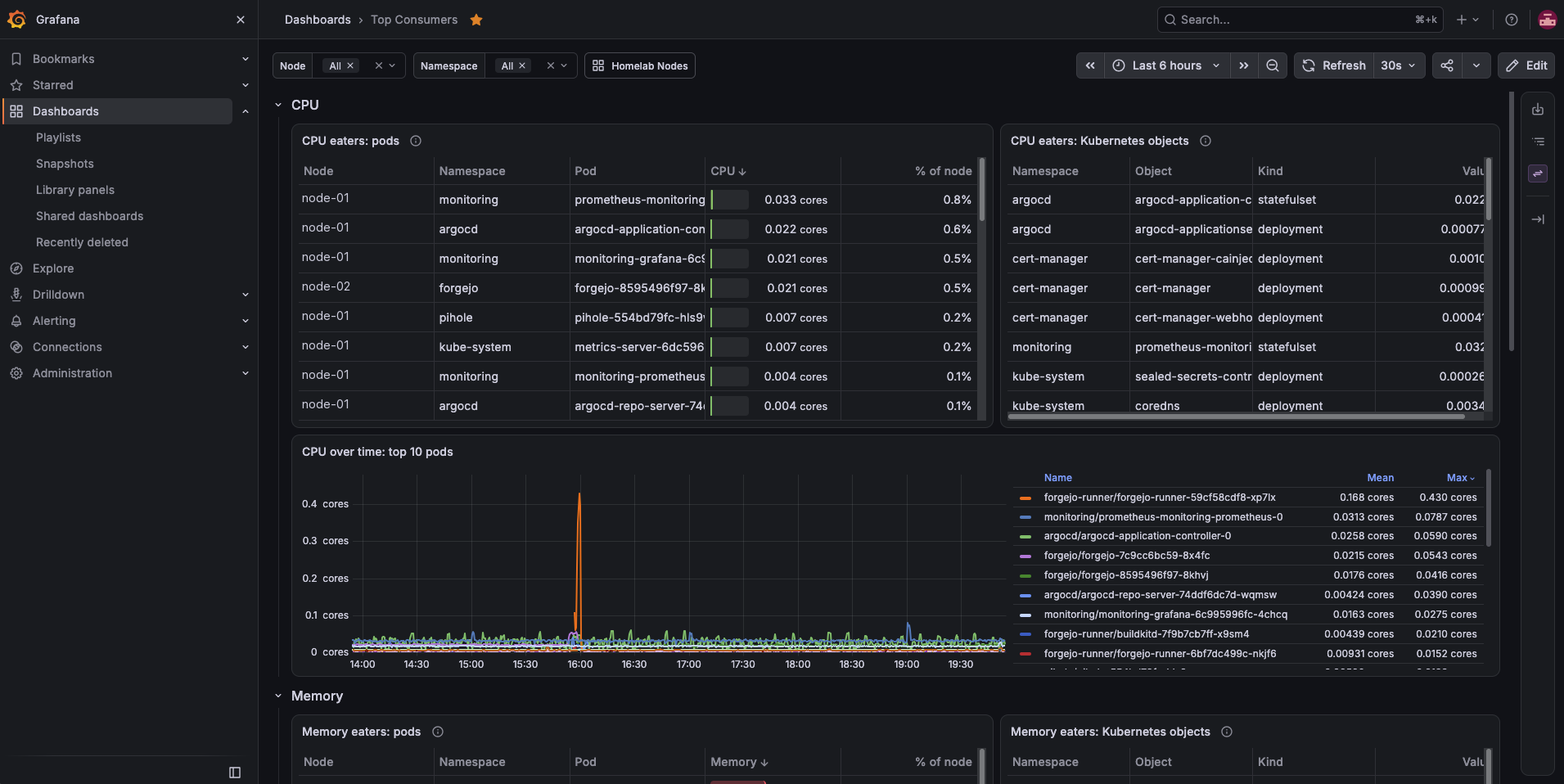
I also built two monitoring dashboards so I can check the machines and their applications from my phone.
The two unused computers now support software I use and maintain. Building Homelab33 gave me practical experience taking an application beyond development: publishing it, controlling access, and keeping track of how it runs. This portfolio is one of the applications I deliver and operate through that process.