Keeping an eye on Homelab33
I built two dashboards to check my home servers from anywhere. They show whether the machines are healthy and which applications are using their resources, giving me a clear place to start when something goes wrong.
Read the repositorySeeing what was happening at home
Once Homelab33 was running my applications, I wanted to know how its two computers were coping. Logging into each machine to investigate was cumbersome, especially when I was away from home.
I set up Prometheus to collect measurements and Grafana to display them. Together, they gave me the information I needed to build two dashboards: one for the health of the machines and one for the applications using them.
Starting with the machines
The first dashboard puts both computers in one view. It shows whether each is available, how long it has been running, and its processor, memory, storage, and temperature readings. Recent history sits alongside those readings so I can see how they have changed.
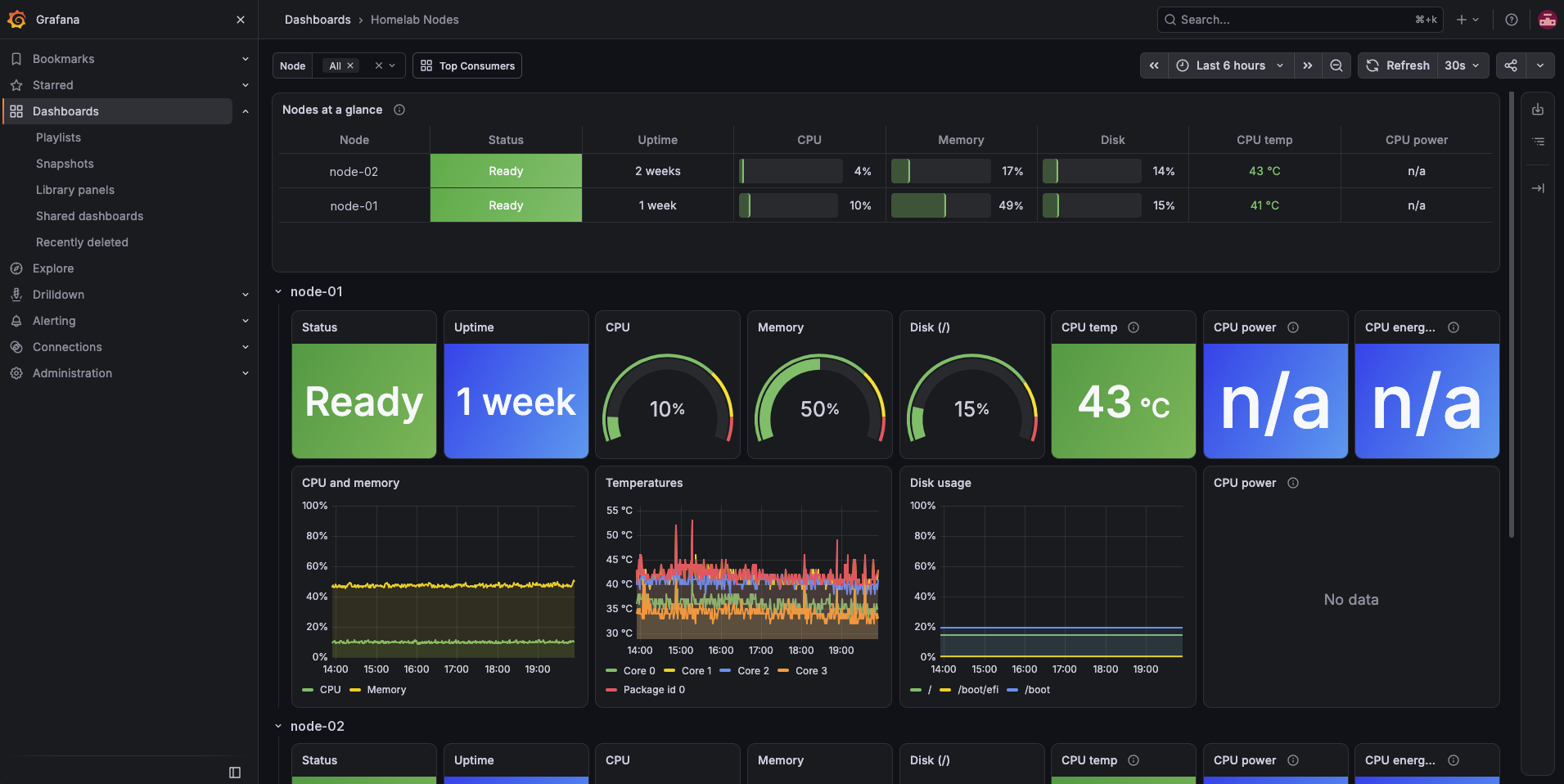
I paid particular attention to what happens when a machine stops responding. It needed to stay visible as unavailable. I used the system's record of each machine to keep it in the dashboard even when it could no longer report its own measurements.
That gave me a starting point for checking the system: I can see both machines and identify which one needs attention.
Following the load back to an application
The second dashboard shows what is using the machines. It ranks the running workloads by processor use, memory, and disk activity, with charts showing how that usage changes over time.
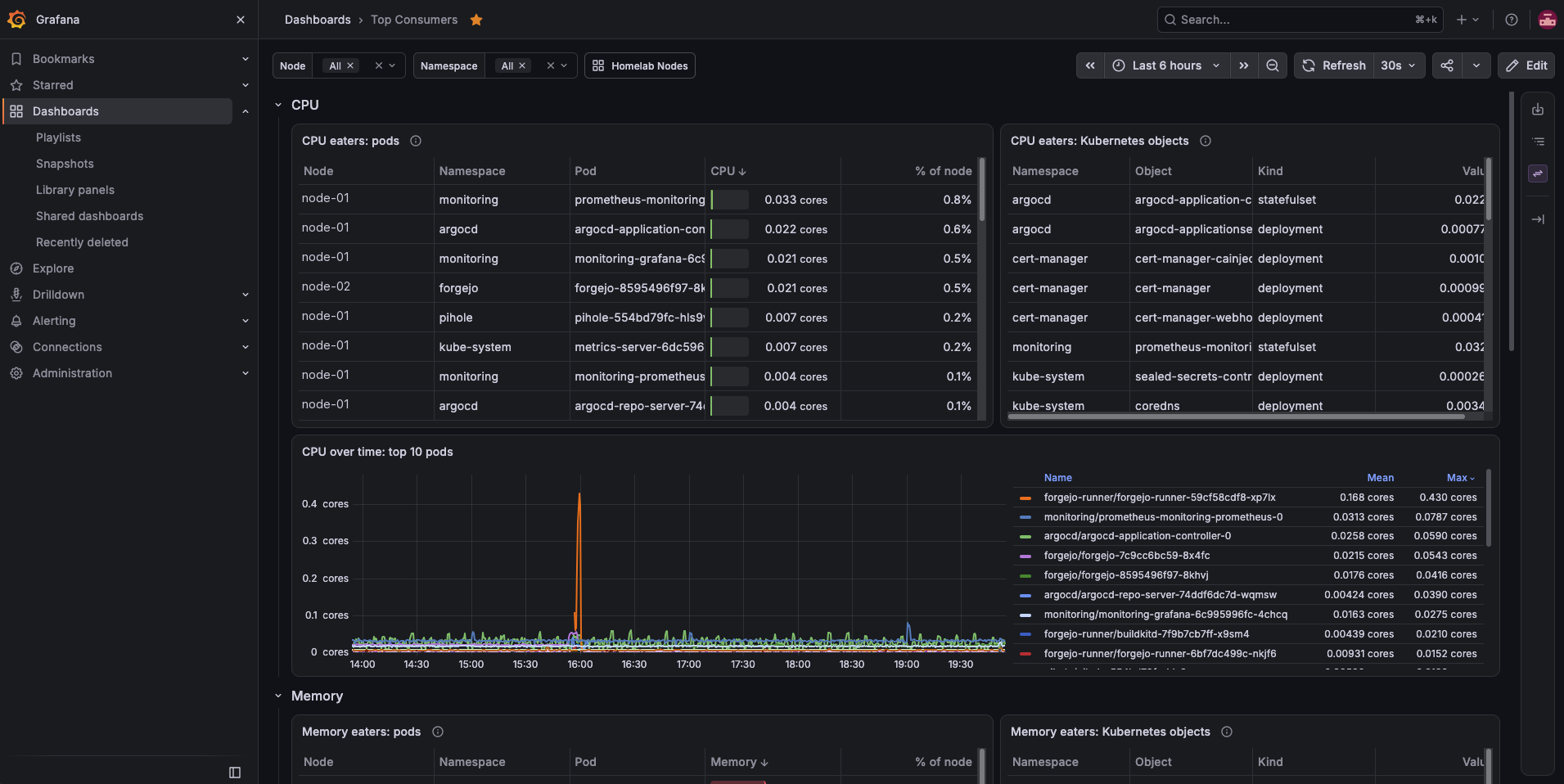
I can narrow the view to one machine or group of applications. Related parts of an application are also grouped together, so I can understand its overall usage without adding up separate readings myself.
The two dashboards work together. The first shows where resources are under pressure; the second helps me trace that pressure to the software using them.
Using the measurements to fix a real problem
The monitoring tool itself gave me a useful lesson. Grafana was being stopped because it exceeded the memory allowance I had assigned to it, even during normal use.
I raised that allowance and changed how I chose resource limits. I used the measurements collected by Prometheus to guide those decisions. The dashboard was already helping me correct an assumption in the system it was built to observe.
I also removed checks for components that this setup could not report on. They had appeared permanently unavailable, adding warnings that did not reflect a failure. Removing those irrelevant checks made the remaining status information more useful.
Checking in from anywhere
I made the dashboards available through my private device connection, so I can open them from my phone or laptop while away from home. They remain private, with no public access needed.
Both dashboards are saved in version control and installed automatically with the rest of Homelab33. Their layout and settings have a recorded history, so maintaining them follows the same process as maintaining my applications.
I now have one place to check the machines and another to understand what is running on them. Together, they let me investigate resource use and make adjustments based on what the system is actually doing, without logging into each computer separately.